THANK YOU FOR YOUR PURCHASE

Download AICC Automatic Post Campaign Below:
Update Changelogs:
1.1.2 (latest version)
Update AI Engine to GPT4 Omni
Add Language selection for Automatic Campaign
1.1.1
Enhance Title randomness for Automatic Post Campaign
Removal of deprecated AI models
NOTE: You can always check and retrieve the latest version from your WP Dashboard -> Updates.
Getting Started Guide (read first)
Remember : this is an addon for AI ContentChain WP Edition.
So first you need to install AI ContentChain WP Edition on your website.
If you haven't download it, please access it thru your WarriorPlus Purchase Receipt here. Locate your AI ContentChain Bundle purchase, then click the 'Access Your Purchase' button.
After that you can find the AI ContentChain WP Edition on that access page as below:
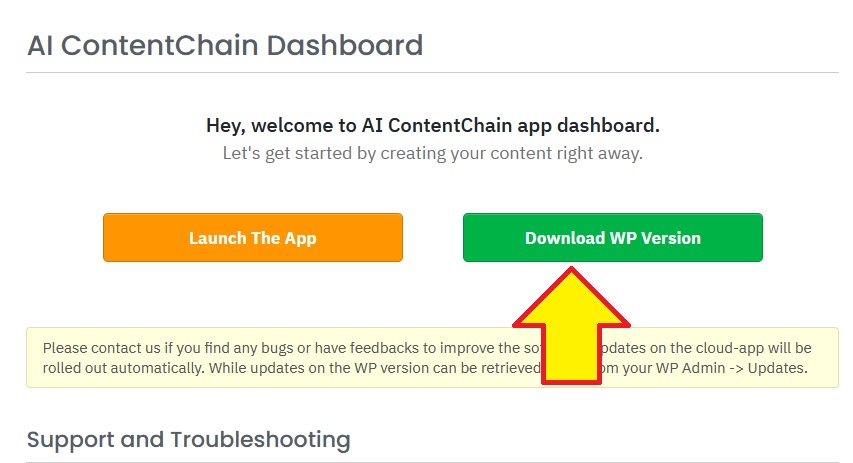
The final step is to install BOTH the AI ContentChain WP Edition and the Automatic Campaign plugin to your website and activate both of them too.
Once they are active on your website, visit ContentChain AI menu from your WP Admin Dashboard:
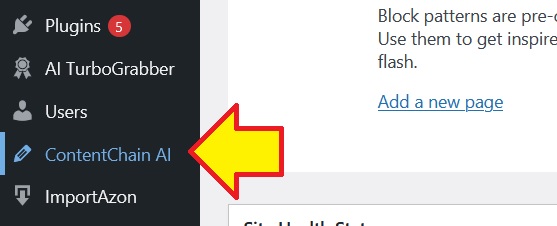
How to Set Up The Automatic Post Campaign
Once you have followed the steps above, then it's TIME to make your website able to auto-post new content every few hours, every day on 100% autopilot.
So, follow the Video User Guide below:
This is an early version of AI ContentChain so if you found any problems do let me know.
I implement 1-click automatic update to both of these plugins - therefore if I patched any bugs or add new features, you can quickly and easily update the plugins from your WP Admin Dashboard.
Our Apps / Tool
I hope you enjoy using this Automatic Campaign tool for AI ContentChain!
Here some of my other tools that might be helpful for your business:

Turn your target URL into fresh article or convert it into review content in one click!

Free Bonus For You

Thank you, my friend!
Cheers,
Leonardus (WpThemePlugin.com)