

PLUGIN INSTALLATION
YOUR OPTIONAL UPGRADE

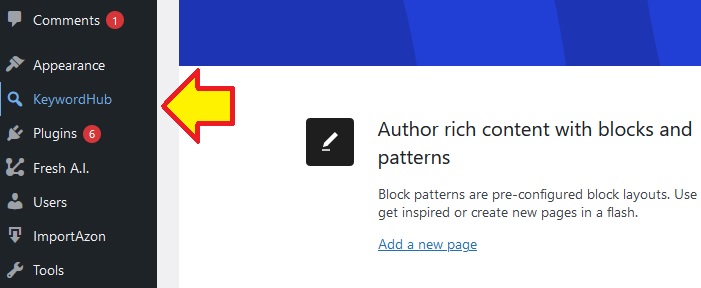
USING KEYWORDHUB PLUGIN (REGULAR VERSION)

You can save the keyword data by clicking the "Save Results" button:

The "Keyword Value" indicates how valuable the keyword is. The Value indicator calculates its valuation data based on how high the CPC is, search volume, competitor strength on search engines, etc.
The "Traffic Score" indicates both the worth of traffic and how hard it is to compete on Google search results page.
The higher the number, the better it is to target the keyword as the competition is not too crowded and the amount of traffic is still worth to be targeted.
USING KEYWORDHUB PLATINUM
In order to use KeywordHub Platinum, make sure to install and activate KeywordHub Regular Version first.
After the Regular Version is active on your website, then go ahead to install the Platinum Version.
KeywordHub PLATINUM can serve you with more than 50+ long tail keywords on every keyword research that you perform.. Which is over 5x more keywords data than the regular version.
You can save the keyword data by clicking the "Save Results" button. To display current news content based on the keywords that you target, click the "Current Keyword News" button.

COMMON QUESTIONS & SUPPORT
Q: After Clicking the “Find Keywords” Button, Nothing Happens?
A: Make sure you have the latest version of the plugin (visit Dashboard menu -> Updates on your WP Admin). If problems still persist after several times, please let me know.
Q: The Number of Keywords Shown Is Too Few?
A: By default the plugin will show around 15 long-tail keywords.
You can get more keywords shown if you install KeywordHub Platinum. If the keywords shown is less than 15, probably there are not enough data for that keywords (all data are provided by Google API, so maybe the keyword is still new or not being searched too much).
Get In Touch With Our Support Team
Got any other questions, feature requests or need personal assistance from us? Then please don't hesitate to reach out to us!
DOWNLOAD YOUR EXTRA BONUS
BONUS 1: SOCI LINK MATIC
Use my bonus plugin to auto-generate 100s of social backlinks for your content so they can rank higher on search engine faster.
BONUS 2: WP TOTAL OPTIMIZER
The most complete website optimizer for your WP site with over 20+ optimizer options to choose in one click.

Thank you for using WP KeywordHub.
May your business grows higher this year, than ever before! As my gift for you please download my premium products as special free bonus below.
Cheers!
Leo (WpThemePlugin)
EXTRA BONUS FROM OUR PARTNERS


YOUR OPTIONAL UPGRADE